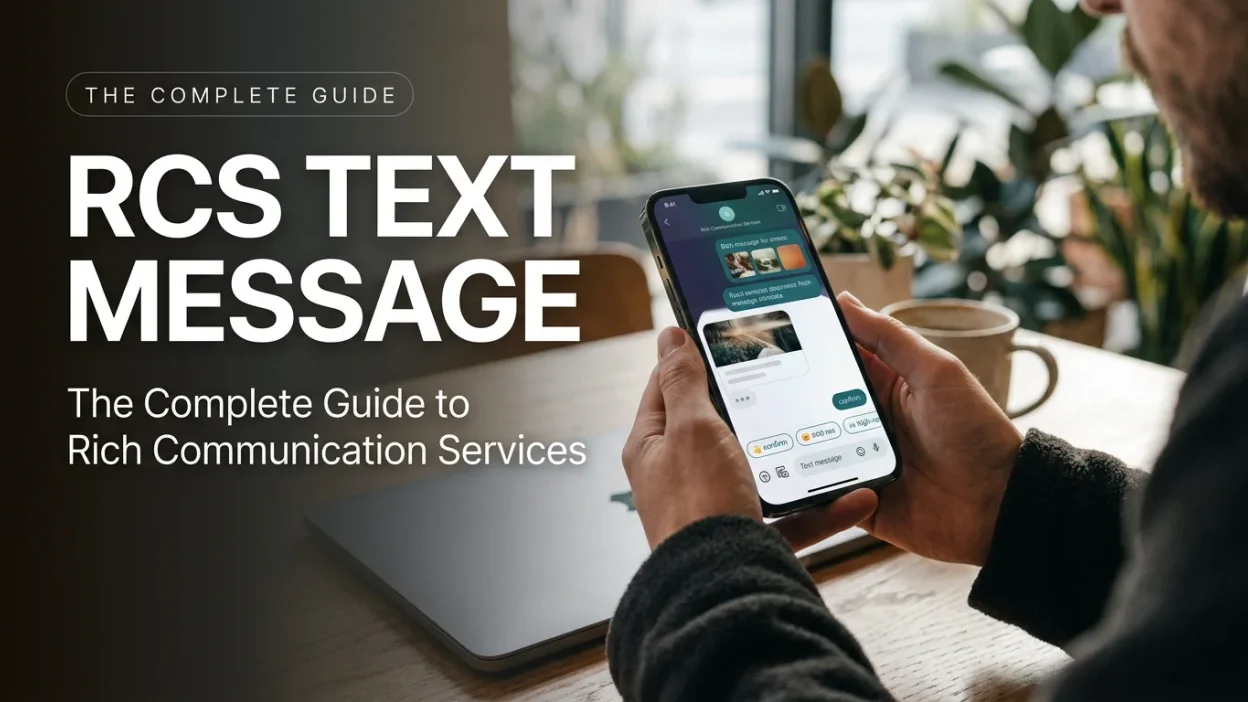
📱 An RCS text message is the next generation of SMS, and it’s likely already on your phone without you realizing it. RCS stands for Rich Communication Services, and it upgrades traditional texting with features like read receipts, typing indicators, high-quality media sharing, and interactive buttons . If you’ve noticed a “Chat features” or “RCS chats” toggle in your messaging app, that’s RCS at work.
This guide explains what RCS is, how it differs from SMS, how to enable it on your phone, and why it matters for both personal and business communication.
📌 What Exactly Is RCS?
RCS is a communication protocol that enhances standard SMS with modern messaging features. It uses your phone number as the identifier, just like SMS, but it sends data over your mobile data or Wi-Fi connection rather than the traditional cellular signaling network . This is why RCS can handle larger files, richer media, and real-time interactions that SMS simply cannot.
Google has been the primary driver of RCS adoption through its Google Messages app, which is preinstalled on most Android devices. In 2024, Apple added RCS support with iOS 18, finally bridging the gap between Android and iPhone messaging .
✨ Key Features That Set RCS Apart
RCS transforms texting from a basic utility into something closer to a messaging app like WhatsApp or iMessage.
Read Receipts and Typing Indicators
When someone reads your message, you can see it. When they’re typing a reply, you see animated dots. These small cues make conversations feel more immediate and human .
High-Quality Media Sharing
SMS compresses images and limits video quality. RCS supports high-resolution photos and videos, and files can be up to 100 MB in size . You can share GIFs, audio messages, and documents without the usual degradation.
Group Chats That Actually Work
RCS group chats function like modern messaging apps. You can see who’s typing, who’s read the message, and share media without it turning into a chaotic MMS thread .
Interactive Elements
For business messaging, RCS supports buttons, carousels, suggested replies, and rich cards. A customer can tap “Track Order” or “Book Now” directly from the message without opening a browser .
🔄 RCS vs. SMS: What’s the Difference?
The core difference comes down to how the message travels and what it can carry.
Delivery Method
SMS travels over the cellular control channel, which is why it works even without a data connection. RCS uses your data connection (Wi-Fi or mobile data) . If your data is off or unavailable, RCS messages may fail or fall back to SMS.
Message Length and Media
SMS is limited to 160 characters per segment and has no native media support (MMS handles that separately, often poorly). RCS supports text up to 3,072 characters and rich media up to 100 MB .
Brand Identity
For businesses, RCS allows a verified sender profile with a logo, brand name, and a verification checkmark. This makes it much harder for scammers to impersonate a company, because the recipient can see that the sender is verified . SMS sender IDs can be spoofed easily.
Security
Personal RCS chats between Android users can be end-to-end encrypted through Google Messages. Business RCS messages are encrypted in transit but not end-to-end, meaning Google and carriers can technically access the content . SMS has no encryption at all.
📲 How to Enable RCS on Your Phone
RCS isn’t always on by default, especially on iPhones or older Android devices.
On Android (Google Messages)
- Open Google Messages.
- Tap your profile icon or the three-dot menu.
- Go to Settings > RCS chats (or Chat features).
- Toggle the switch to On .
If you don’t see the option, your carrier may not support RCS on your device, or you may need to update the app. Activation can take anywhere from a few minutes to 24 hours .
On iPhone (iOS 18+)
Apple’s RCS implementation does not support end-to-end encryption, and group chats may still behave differently than on Android .
💼 RCS for Business: Why Companies Are Switching
Businesses are adopting RCS because it combines the reach of SMS with the interactivity of a messaging app.
Verified Branding
A verified RCS sender shows your company logo and name, not just a random phone number. This builds trust and reduces the chance that customers dismiss your message as spam .
Rich Interactions
Instead of a text with a link, you can send a carousel of products, a button to confirm an appointment, or a suggested reply to rate a service. These features reduce friction and increase engagement .
Better Analytics
RCS provides read receipts and button-tap analytics, giving businesses clearer insight into how customers interact with messages .
Automatic SMS Fallback
If a recipient’s device doesn’t support RCS, the message automatically falls back to SMS. This means businesses don’t lose reach—they just lose the enhanced features for that recipient .
⚠️ Common RCS Problems and Fixes
RCS isn’t perfect. Here are the issues users encounter most often.
Messages Stuck on “Sending” or “Connecting”
This usually means RCS isn’t connected to the server. Try restarting your phone, toggling Airplane Mode on and off, or verifying your number in the RCS settings .
RCS Keeps Turning Off
Some carriers and devices have bugs that cause RCS to deactivate randomly. Clearing the cache for Carrier Services and Google Messages can help. If the problem persists, it may be a carrier-level issue .
Group Chats Reverting to SMS
RCS group chats only work fully if everyone in the group has RCS enabled and supported. If even one person is on an older device or an unsupported carrier, the entire group may fall back to SMS/MMS .
iPhone and Android RCS Differences
RCS between iPhone and Android works, but some features differ. For example, end-to-end encryption isn’t available across platforms yet, and group chat behavior may vary .
❓ Frequently Asked Questions
What does RCS stand for?
Rich Communication Services. It’s an upgrade to SMS that adds features like read receipts, typing indicators, and high-quality media sharing .
Is RCS the same as iMessage?
No. iMessage is Apple’s proprietary messaging service, available only on Apple devices. RCS is an open standard that works across Android and iPhone (with iOS 18+) .
Do I need to download an app for RCS?
On Android, RCS is built into Google Messages. On iPhone, it’s built into the Messages app with iOS 18+. No separate app is required .
Is RCS free?
RCS uses your data connection, so it doesn’t cost per message like SMS might. However, it consumes mobile data if you’re not on Wi-Fi. Most carriers don’t charge extra for RCS beyond your normal data plan .
Is RCS secure?
It’s more secure than SMS but not as secure as Signal or WhatsApp. Personal Android-to-Android RCS can be end-to-end encrypted. iPhone RCS and business RCS are encrypted in transit but not end-to-end .
Why do my RCS messages sometimes send as SMS?
If the recipient’s device doesn’t support RCS, or if your data connection is unstable, the message falls back to SMS. You’ll usually see a small label indicating “SMS” or “Text message” instead of “RCS” or “Chat message” .
Can I turn RCS off?
Yes. On Android, go to Google Messages Settings > RCS chats and toggle it off. On iPhone, go to Settings > Apps > Messages and toggle RCS Messaging off .
✅ Conclusion
RCS is the future of texting, but it’s also the present. If you’re on a modern Android phone or an iPhone with iOS 18, you likely already have access to it. The benefits are clear: better media, read receipts, typing indicators, and—for businesses—verified branding and interactive messages that make communication more useful and trustworthy. Enable RCS in your messaging app, check that your carrier supports it, and enjoy a texting experience that finally feels modern. For businesses, RCS offers a way to connect with customers that’s richer than SMS and more accessible than an app. The shift from SMS to RCS is well underway, and understanding it now puts you ahead of the curve.

Olivia Bennett is a content writer who specializes in word meanings, internet slang and everyday expressions. She enjoys creating clear, informative content that helps readers understand language and discover the meanings behind words.