A fake Discord message can mean two very different things depending on who you ask. The line between parody and deception isn’t always obvious, and that ambiguity is exactly what makes this topic worth understanding.
This guide breaks down what fake Discord messages actually are, how they’re made, where the danger lies, and how you can tell the difference between a funny mockup and a phishing attempt.
What Counts as a Fake Discord Message?
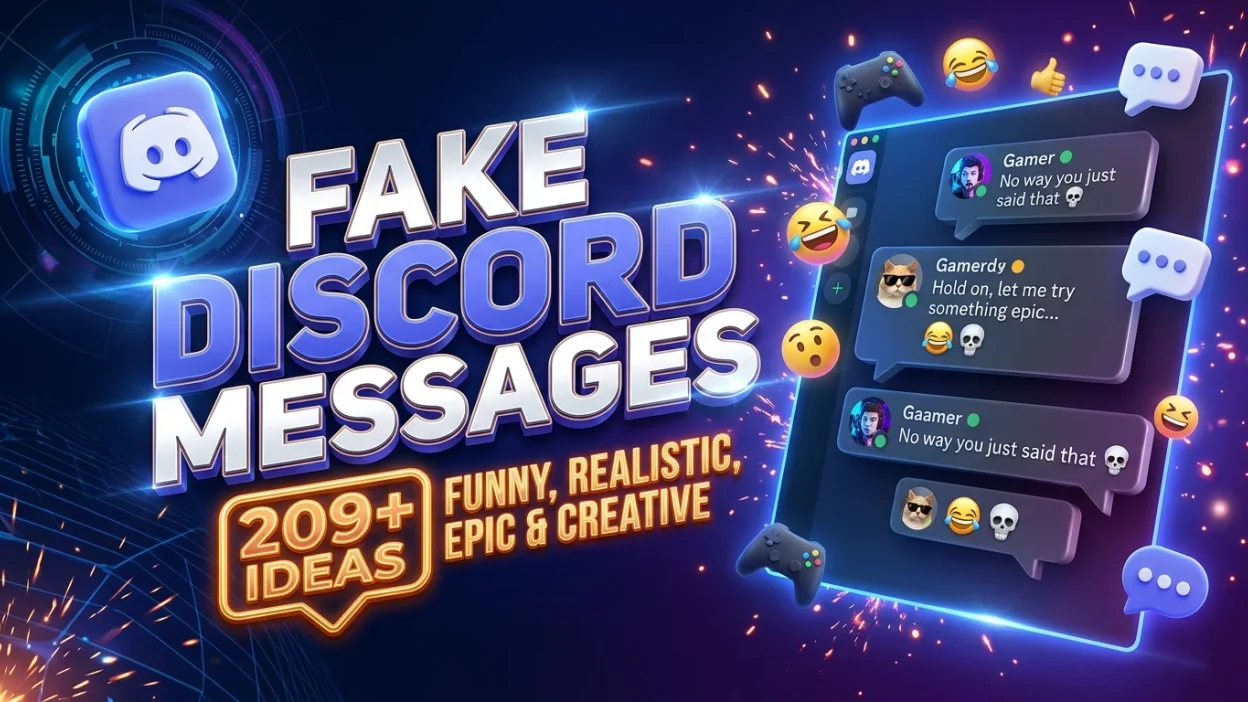
At its core, a fake Discord message is any message that appears to come from Discord but didn’t originate from the platform’s real servers. That covers a wide spectrum. On one end, you have custom-built web components and generators that recreate Discord’s interface for mockups, memes, and design previews . On the other end, you have scammers who fabricate screenshots to trick people into clicking links, sharing tokens, or authorizing malicious applications .
The technical distinction matters less than the intent. A screenshot made for a joke and a screenshot made to steal an account can look identical. What separates them is what happens next.
How Fake Discord Messages Are Created
The tools behind these mockups have become surprisingly accessible. You don’t need coding skills or design software to build a convincing Discord screenshot anymore.
Browser-Based Generators
Several free web tools let you type in a username, pick an avatar, set a timestamp, and write a message. The tool renders it in Discord’s dark theme layout, complete with role colors and channel names . Some generators even support bot tags and reaction emojis. You export the result as an image and share it. No account required, no download, no trace.
Developer Libraries
For more technical users, libraries like drop-the-cap and wc-discord-message offer programmatic ways to generate fake Discord screenshots or embed Discord-style message components on webpages . These are often used for testing bots, building documentation, or creating UI mockups. The output can be pixel-perfect.
Why People Use These Tools
The legitimate use cases are broader than you might expect. Content creators use mockups for storytelling videos. Community moderators build example messages for onboarding guides. Designers preview how an announcement will look before posting it live . The tool itself isn’t the problem. It’s how someone chooses to use it.
When Fake Discord Messages Become Dangerous
The scam side of this equation follows predictable patterns. Scammers exploit the trust people have in Discord’s interface. If a message looks like Discord, it must be from Discord, right? That assumption is exactly what they count on.
Phishing and Fake Nitro Offers
One of the most common scams involves fake Nitro gifts. A message arrives promising free Discord Nitro, often from a compromised account or a lookalike bot. The link leads to a page that mimics Discord’s login screen. Once you enter your credentials, the attacker has them . Real Nitro gifts exist, which makes the fake ones harder to dismiss. The difference is usually in the delivery method: legitimate gifts appear inside Discord’s own interface, not through external links or QR codes.
QR Code Login Traps
Discord’s QR code login feature is convenient, but it’s also a vector for account theft. A scammer sends a QR code and claims it’s for verification or a giveaway. If you scan it and approve the login, you’ve just handed over access to your account without ever typing a password . The fix is simple: never approve a login you didn’t initiate yourself.
Impersonation and Fake Giveaways
Scammers frequently impersonate friends, server admins, or even Discord staff. They might use a slightly altered username or a copied profile picture. The message often creates urgency: your account is at risk, you’ve won something, you need to verify now . In some cases, the scam involves a fake OAuth application that requests broad permissions under the guise of a giveaway entry. Authorizing it can give the attacker persistent access that survives a password change .
The Rise of Fabricated Screenshots
Beyond direct messages, fake screenshots are used to spread misinformation or manipulate reputations. A fabricated conversation can make it look like someone said something they never said. Because screenshots feel like evidence, people share them without verification . The same tools that make memes make manufactured drama. The MrBeast giveaway scam, for instance, used fabricated screenshots with MrBeast’s branding to lend credibility to a fraudulent campaign .
How to Tell a Fake Discord Message from a Real One
There’s no single trick that works every time, but a combination of habits will catch most fakes.
Check the Context, Not Just the Content
A message that appears in your actual Discord DMs from a username you recognize is different from a screenshot someone posted on Twitter. If you received it in the app, you can check the sender’s profile, account age, and mutual servers. If it’s a screenshot, you have no way to verify it. Treat screenshots as claims, not evidence.
Look for the Request
Scammers almost always want you to do something: click a link, scan a code, download a file, authorize an app, or share a code. Legitimate Discord messages about account issues come through official channels, not random DMs. Discord staff don’t message users about violations or verification . If a message pushes you toward an action outside normal Discord behavior, slow down.
Verify Through Official Channels
If a message claims to be from Discord or a service you use, close it and open Discord yourself. Check the official server or support page. Don’t use contact information provided in the suspicious message. This single habit defeats most phishing attempts.
Inspect the Details
Generators are good, but not perfect. Timestamps might be misaligned. Avatars might be slightly off. Fonts might not match Discord’s rendering exactly. Bot tags might be missing where they should be present . None of these are definitive proof on their own, but together they raise suspicion.
The Ethics and Rules Around Fake Discord Messages
Discord’s own policies draw a line between parody and deception. The platform’s Identity and Authenticity Policy prohibits fake profiles and impersonation, but it explicitly allows parody and satire accounts as long as they’re clearly labeled . A meme screenshot made for laughs isn’t the same as creating a fake account to impersonate someone.
That distinction is worth keeping in mind if you’re the one making these images. Using a generator for a joke in a group chat is one thing. Using it to fabricate evidence, harass someone, or trick people into compromising their accounts is another. The tool doesn’t make that choice. You do.
Common Mistakes People Make with Fake Discord Content
One frequent error is assuming that a screenshot must be real because it looks polished. Generators produce clean, high-resolution images that can fool a casual glance. Another mistake is clicking links in messages that seem to come from friends. Compromised accounts are a primary distribution method for scams, and a friend’s account can send malicious links without the friend knowing .
People also underestimate the persistence of OAuth-based attacks. Changing your password after authorizing a malicious app might not remove the attacker’s access. You need to revoke the app’s permissions in Discord’s settings separately . And finally, many users never enable two-factor authentication, which remains one of the simplest and most effective defenses against account takeover.
Frequently Asked Questions
Are fake Discord message generators illegal?
Not inherently. The tools themselves are legal and have legitimate uses like memes, mockups, and testing. Problems arise when someone uses them to deceive, harass, or commit fraud. Discord’s policies prohibit deceptive impersonation, and laws around fraud and harassment apply online as they do offline.
Can someone hack my Discord with a fake message?
A fake message alone can’t hack you. But it can trick you into doing something that leads to a hack: entering your password on a phishing site, scanning a QR code that authorizes a login, authorizing a malicious app, or downloading malware. The message is the bait. Your action is what completes the attack.
How do I know if a Discord screenshot is real?
You often can’t, not with certainty. Screenshots are easy to fabricate and impossible to verify from an image alone. Treat any screenshot you see online as unverified. If someone sends you a screenshot inside Discord and claims it’s from another conversation, be skeptical. Ask for context or verify through another channel.
What should I do if I clicked a link in a fake Discord message?
Change your Discord password immediately from a secure device. Enable two-factor authentication if you haven’t already. Check your authorized apps list in Discord settings and revoke anything you don’t recognize. If you entered payment information, contact your bank. If you downloaded a file, run a malware scan.
Why do scammers use fake Discord messages instead of just hacking accounts?
Because it’s easier. Social engineering exploits human trust rather than technical vulnerabilities. A convincing fake message can get someone to hand over their credentials voluntarily. Hacking requires finding a flaw in Discord’s security, which is far more difficult and less reliable.
Can I get banned for sharing a fake Discord screenshot?
Discord’s policies focus on behavior on the platform. Sharing a meme screenshot in a server is unlikely to result in a ban unless it violates other rules like harassment or hate speech. Creating fake profiles or impersonating someone deceptively is against the rules, and parody accounts must be clearly labeled . If you’re using fake screenshots to deceive people within Discord, that’s where enforcement becomes relevant.
Conclusion
A fake Discord message sits at the intersection of creativity and deception. The same tools that let someone make a funny meme can be used to steal accounts, spread misinformation, or impersonate a friend. The technology is neutral; the intent behind it isn’t. For most people, the practical takeaway is simple: treat screenshots as unverified, be suspicious of messages that push you toward urgent action, and never authorize a login or app you didn’t initiate yourself.
If you’re creating these mockups for fun, the ethics are straightforward. Label your parody, don’t use it to harm anyone, and keep it clearly separated from anything that could be mistaken for a real conversation. If you’re on the receiving end, trust your instincts when something feels off. The tools will keep getting better, which means your skepticism needs to keep pace.

Olivia Bennett is a content writer who specializes in word meanings, internet slang and everyday expressions. She enjoys creating clear, informative content that helps readers understand language and discover the meanings behind words.