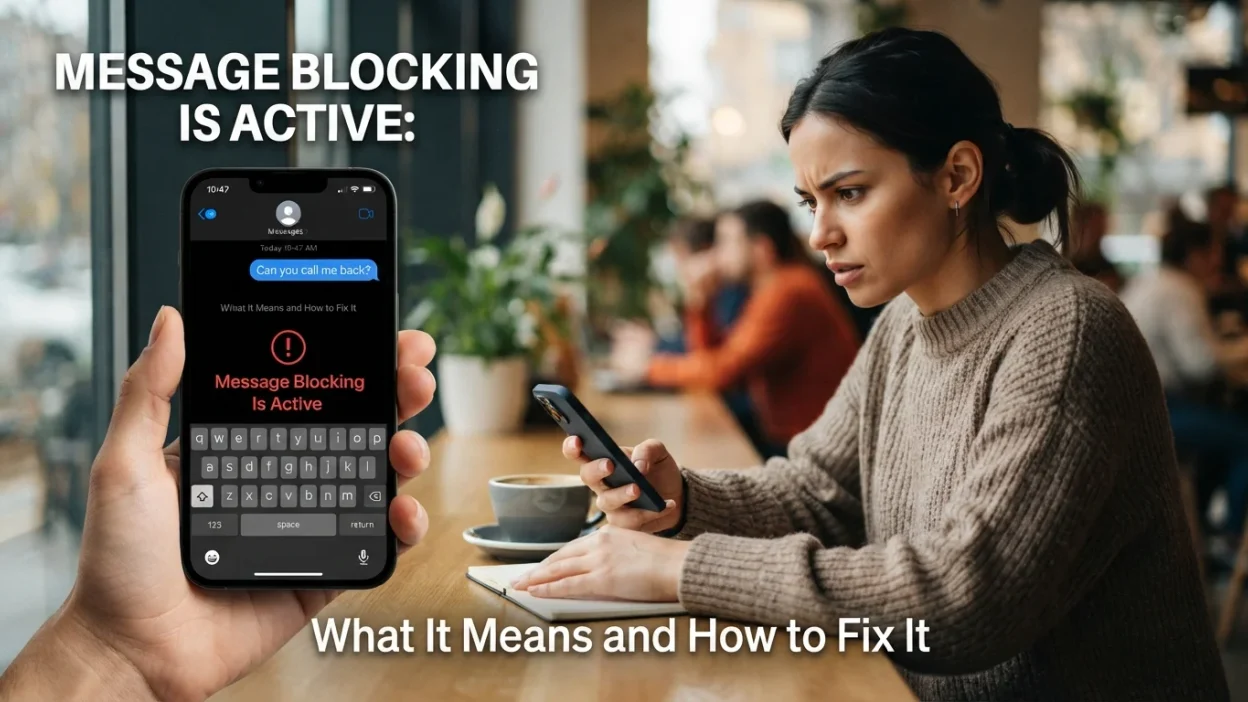
📱 You try to send a text, and instead of your message going through, you get a reply that says “Free Msg: Unable to send message – Message Blocking is active.” It’s frustrating because there’s no explanation, no error code, and no obvious way to fix it. The good news is that this message is usually not about the person you’re texting blocking you. Instead, it’s a carrier-level alert that something on your account or line is preventing outgoing SMS from working.
This guide breaks down exactly what “Message Blocking Is Active” means, the most common causes, and step-by-step solutions to get your texting back to normal.
🔍 What Does “Message Blocking Is Active” Actually Mean?
The message “Message Blocking Is Active” is an automated response from your mobile carrier, not from the person you’re trying to text . It means your carrier has temporarily disabled SMS sending on your line. The block happens at the network level, which is why your phone still shows signal bars and can make calls—only text messaging is affected.
Importantly, this does not mean the recipient has blocked you . When someone blocks your number on their phone, you typically don’t get any error message at all. Your texts just show as “sent” but never get delivered. The “Message Blocking Is Active” alert is almost always about your own account or line.
🚨 The Most Common Causes
Understanding why the block is active is the first step toward fixing it. Here are the usual suspects.
Billing or Account Issues
This is the number one cause. Carriers often block outgoing SMS when there’s an unpaid bill, an expired prepaid plan, or insufficient balance . The block is a form of enforcement to prompt payment. Even if calls and data still work, texting may be restricted separately.
Carrier-Level Messaging Restrictions
Many carriers let you disable specific types of messaging on your line. If you or someone with access to your account turned off SMS, short codes, or premium messaging, you’ll hit this error . This can also happen after switching plans or carriers if the new provisioning isn’t complete.
Spam Filtering or Short-Code Blocks
If you’ve been sending a high volume of texts, or if recipients have reported your messages as spam, your carrier’s automated system might temporarily restrict your messaging . Similarly, if you’re trying to text a short code (like a 5-digit verification number) and premium SMS is blocked on your line, you’ll get this error .
Device-Level Blocking (Less Common)
In rare cases, the issue is on your phone itself. You might have accidentally blocked the recipient’s number, or an iMessage/SMS conflict on iPhone could be interfering . However, device blocks usually produce different error messages, so this is lower on the list.
🛠️ How to Fix It: Step by Step
Work through these steps in order, starting with the most likely causes.
Step 1: Check Your Account and Billing Status
Log in to your carrier’s app or website and verify that your account is in good standing. Look for any unpaid balances, expired plans, or suspension notices . If you find an issue, resolving it (paying the bill, renewing the plan) should automatically restore your messaging. If you’re on a prepaid plan, check that you have sufficient balance for SMS.
Step 2: Test with a Regular 10-Digit Number
Try sending a text to a friend’s normal mobile number. If that works, the problem might be specific to short codes or international numbers . If it fails with the same error, the block is likely account-wide.
Step 3: Check Your Carrier’s Messaging Settings
Log in to your carrier account online and look for messaging controls or restrictions. Check whether outgoing SMS, short codes, or premium messaging have been disabled . If you find a setting that’s off, turn it back on. If you can’t find the option, you’ll need to contact customer service.
Step 4: Check Your Phone’s Blocked List
On iPhone: Go to Settings > Messages > Blocked Contacts and review the list. If the person you’re trying to text is there, unblock them .
On Android: Open the Phone or Messages app, tap the menu, and check Blocked Numbers. Remove any accidental blocks .
Step 5: Restart Your Phone and Toggle Airplane Mode
A simple restart can clear temporary software glitches . Alternatively, turn Airplane Mode on for about 15 seconds, then turn it off. This forces your phone to reconnect to the network and can resolve minor connectivity issues.
Step 6: Check iMessage Settings (iPhone Only)
If you’re on an iPhone, an iMessage conflict can sometimes cause SMS failures. Go to Settings > Messages, toggle iMessage off, wait a few seconds, then turn it back on . Also confirm that “Send as SMS” is enabled, so messages fall back to regular texting when iMessage isn’t available.
Step 7: Contact Your Carrier
If none of the above steps work, call your carrier’s customer service. Tell them you’re receiving the “Message Blocking Is Active” error and ask them to check your line for any blocks or restrictions . They can see settings on their end that you can’t access, and they can remove blocks that were applied by their system.
❌ Common Mistakes to Avoid
When troubleshooting this error, avoid these missteps.
Mistake 1: Assuming the Recipient Blocked You
As mentioned, this error is almost never about the recipient blocking you. Don’t confront the person or assume the worst. Focus on your own account and carrier settings instead .
Mistake 2: Ignoring Billing Notices
If your bill is overdue, the block won’t go away until you pay it. Don’t waste time resetting your phone or changing settings before checking your account status .
Mistake 3: Resetting Network Settings Too Early
Resetting network settings erases saved Wi-Fi passwords and Bluetooth connections. It’s a hassle, and it rarely fixes carrier-level blocks. Save this as a last resort after you’ve confirmed the issue isn’t with your account .
Mistake 4: Forgetting About Short Codes
If you can text regular numbers but not short codes (like for bank verification or app logins), the issue is likely premium SMS blocking. This is a separate setting from general SMS and may require a call to your carrier .
💡 Expert Tips for Preventing Future Blocks
Once you’ve resolved the issue, keep these practices in mind to avoid it happening again.
Keep Your Bill Current
Set up autopay or reminders for your phone bill. Billing-related blocks are the most common cause and the easiest to prevent .
Don’t Send High-Volume Spam-Like Messages
If you’re texting many people at once, especially with identical messages, carriers may flag you as spam. Spread out your messages and personalize them when possible .
Review Your Carrier Settings After Plan Changes
When you switch plans or carriers, verify that SMS and premium messaging are enabled on your new line. Provisioning isn’t always automatic.
Check Your Phone’s Blocked List Periodically
If you accidentally block a number, you might not realize it until you try to text them. A quick check of your blocked contacts can save confusion later.
❓ Frequently Asked Questions
Does “Message Blocking Is Active” mean the person blocked me?
No. This message comes from your carrier, not from the recipient. When someone blocks you on their phone, you typically don’t get any error message at all. The “Message Blocking Is Active” alert indicates a problem with your line or account .
Why can I make calls but not send texts?
Carriers can restrict SMS independently of voice calls. Billing issues, plan limitations, or messaging-specific settings can block texting while leaving calls and data functional .
How do I know if the block is from my carrier or my phone?
If you get the “Free Msg” error, it’s from your carrier. If your messages just fail silently (no error, but they never deliver), it might be a device issue or the recipient’s settings. The “Free Msg” prefix is a strong indicator that the carrier is involved .
Can I fix this without calling my carrier?
Sometimes. If the cause is a billing issue, paying your bill will fix it. If you accidentally disabled SMS in your carrier account settings, turning it back on will fix it. But if you can’t identify the cause, a call to customer service is usually the fastest path .
Why does this happen when I try to text a short code?
Short codes (5-6 digit numbers used for verification, alerts, and subscriptions) are often subject to separate carrier restrictions. If premium SMS is blocked on your line, you’ll get this error when texting them. You can ask your carrier to enable premium messaging if you need to receive verification codes .
Does resetting network settings really help?
Rarely. Network reset is more useful for data connectivity issues than carrier-level SMS blocks. It’s worth trying only after you’ve ruled out account and billing problems .
✅ Conclusion
The “Message Blocking Is Active” error is a carrier alert, not a sign that the recipient blocked you. In most cases, the cause is a billing issue, an account restriction, or a messaging setting that needs to be re-enabled. Start by checking your account status and testing with a regular number. Then work through the device-level checks and, if necessary, contact your carrier directly. With a little patience and the right steps, you’ll have your texts flowing again in no time.

Olivia Bennett is a content writer who specializes in word meanings, internet slang and everyday expressions. She enjoys creating clear, informative content that helps readers understand language and discover the meanings behind words.