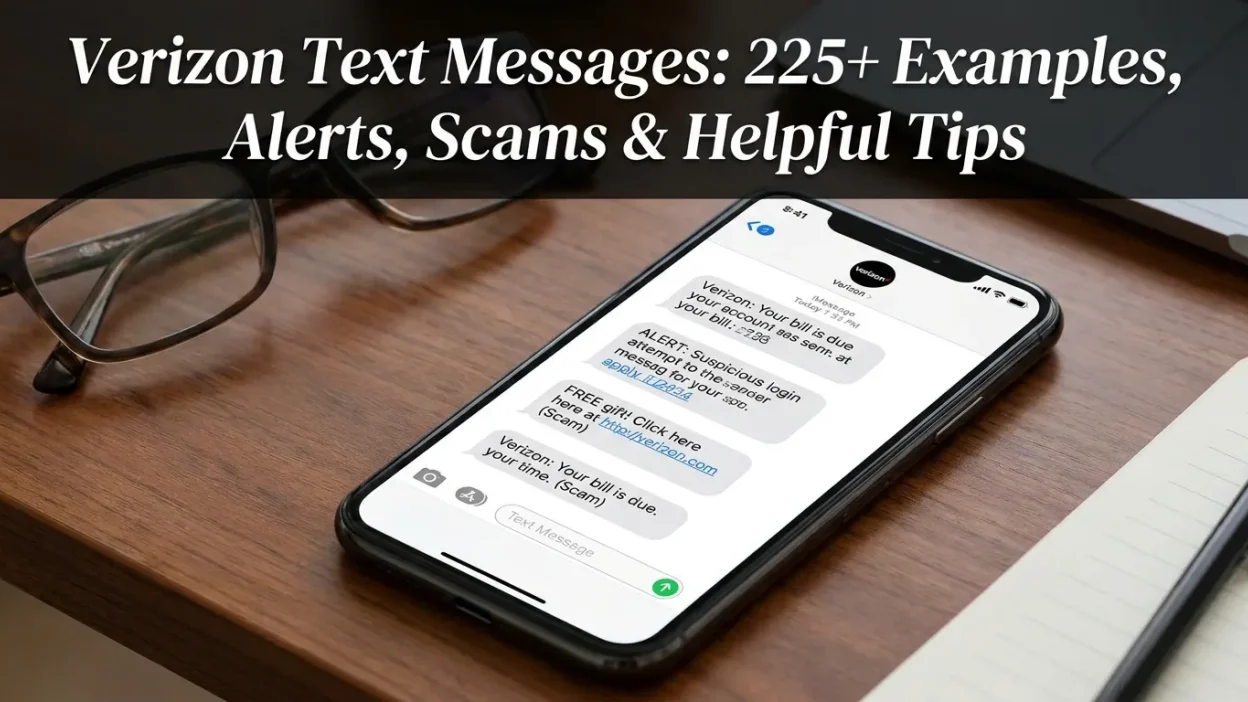
If you’re dealing with Verizon text messages that won’t send, won’t arrive, or look different than they used to, you’re not alone. The carrier’s messaging landscape shifted significantly when Verizon retired its longtime Message+ app and pushed users toward Google Messages. That transition left plenty of people confused about where their old texts went and why their phones suddenly behaved differently. Add in the usual culprits—spotty signal, spam filters and cross-platform hiccups between iPhone and Android—and it’s easy to feel like texting has become more complicated than it should be.
This guide cuts through the noise. It covers the real reasons texts fail on Verizon’s network, how to fix them step by step, what the Message+ shutdown actually means for your history, and the settings that keep spam out without blocking the people you actually want to hear from.
Why Your Verizon Texts Aren’t Sending or Arriving
Texting problems on Verizon usually trace back to one of a few categories. The message either can’t leave your phone, can’t reach the recipient’s device, or gets caught in a filter somewhere in between. Verizon’s own troubleshooting documentation points to connectivity, software glitches, spam protection and account-level blocks as the most common culprits .
A weak or missing signal is the simplest explanation. If your phone shows no bars or sits in Airplane Mode, nothing goes out. The same applies if you’re roaming internationally without the right plan. Software issues come next. A messaging app that’s cached too much data or hit a memory limit can stop functioning properly, and a simple restart often clears it.
Spam filtering has become more aggressive in recent years. Messages with many recipients, suspicious links, or distribution-list addresses sometimes get flagged and blocked before they ever reach the intended phone . That’s a feature, but it occasionally catches legitimate texts too.
The Message+ Shutdown and What It Means for Your Old Texts
Verizon officially killed the Message+ app in December 2024 after a series of delays. The app no longer functions, and anyone who tries to open it gets a pop-up directing them to download a replacement . The shutdown was tied to Verizon’s push toward RCS messaging, which Google Messages supports far better than the old Message+ platform ever could.
Here’s the part that matters practically: your old texts aren’t gone. Message+ saved messages locally on your device, not in the cloud. They’re still sitting in your phone’s storage. You just need a working SMS app to access them. Google Messages is the default replacement on most Verizon Android phones, but Textra, Samsung Messages (where still supported), and other SMS apps can also read the local message database .
Some users reported that not all their messages transferred automatically to Google Messages after the switch. That’s usually because Google Messages wasn’t set as the default SMS app during the transition. If you’re missing history, check your default app settings first before assuming the messages are lost.
Step-by-Step Fixes for Common Verizon Texting Problems
When a text fails, work through the basics before calling support. Most issues resolve within a few minutes of troubleshooting.
Check Your Connection First
Confirm your phone has a signal or is connected to Wi-Fi. Toggle Airplane Mode on and off to force a fresh network connection. If you’re in a building with thick walls or a basement, move to a window or step outside. Verizon’s network is generally reliable, but dead zones exist.
Restart the Phone and the Messaging App
A full restart clears temporary glitches in the operating system and the messaging app. If the problem persists, force-stop the messaging app and clear its cache. On Android, go to Settings > Apps > Messages > Storage and tap Clear Cache. Don’t clear data unless you’re prepared to lose local message history.
Verify the Number and Check for Blocks
A single wrong digit sends your message nowhere. Confirm the recipient’s number is correct and uses the full ten digits . Also check whether you or the recipient accidentally blocked the other. Verizon allows account owners to block up to five numbers per line, and those blocks last 90 days unless removed .
Reset Network Settings as a Last Resort
If nothing else works, resetting network settings can restore proper connectivity. This won’t erase your personal data or apps, but it will reset Wi-Fi passwords, Bluetooth pairings, and system sounds to default . You’ll need to reconnect to your saved networks afterward. Verizon’s troubleshooting tool can walk you through the process for your specific phone model.
The iPhone-to-Android Texting Problem
Cross-platform messaging remains a persistent headache. If your iPhone texts won’t reach an Android phone—or the reverse—the issue is almost always iMessage or RCS.
When someone switches from iPhone to Android, they must deregister their number from iMessage. If they don’t, Apple’s servers continue routing messages through iMessage, which the new Android phone can’t receive . Apple’s deregistration tool handles this. The fix is permanent and takes about a minute.
Going the other direction, from Android to iPhone, the problem is usually RCS. Some Android phones and messaging apps enable enhanced chat features that older iPhones don’t support. If the new device can’t handle RCS, disable it in the messaging app’s settings under “Chat features” or “RCS” . The messages will fall back to standard SMS and start working again.
Blocking Spam and Unwanted Texts on Verizon
Verizon offers several layers of spam protection, and using them correctly matters more than most people realize.
Account-Level Blocks
Account owners and managers can log into My Verizon and block specific numbers from calling or texting. Each eligible line gets up to five free blocks, and they expire after 90 days . Blocked contacts don’t receive a notification, so they won’t know you’ve blocked them. This method works for regular ten-digit numbers but not for short codes or iMessage traffic on iPhone.
Service-Level Messaging Blocks
If spam arrives from short codes or premium services, a service block is the better tool. In My Verizon, navigate to Block Services and toggle messaging blocks on or off. You can block all messaging or just picture and video messages . Be careful with a full messaging block—it will stop legitimate bank alerts and verification codes too.
Spam Filtering on the Device
Both iPhone and Android have built-in spam filters that work alongside Verizon’s network-level protections. On iPhone, enable Filter Unknown Senders in Settings > Messages. On Android, Google Messages automatically sorts suspected spam into a separate folder. The FCC recommends enabling these device-level filters alongside carrier tools for the best results .
Opting Out of Short Code Messages
Legitimate businesses that text you through short codes must honor opt-out requests. Reply STOP, END, QUIT, CANCEL, or UNSUBSCRIBE to the short code, and the messages should cease . This works for marketing campaigns and subscription alerts. It does not work for scam texts from spoofed numbers—replying to those only confirms your number is active.
Understanding Short Codes and Premium Messages
Five- and six-digit numbers that text you are short codes, used by businesses for marketing, alerts, and verification codes . Most are free to receive, but some are “premium” programs that charge a fee per message or per month. The charges appear on your Verizon bill.
If you see unexpected premium charges, you can request a premium SMS block through My Verizon. This stops premium messages and their fees without blocking regular short code messages from free services like Redbox or store alerts . The distinction matters because a premium block won’t stop ordinary marketing texts—those come through as standard messages.
What to Do When a Text Fails to a Specific Number
Sometimes texting works fine for most contacts but fails for one person. That narrows the problem considerably.
Check whether the number is correct and uses the full ten digits. Verify that neither party has blocked the other. If the recipient recently switched carriers, Verizon notes that text delivery can take anywhere from 72 hours to 10 days to fully transfer depending on the original provider . During that window, messages may fail or arrive late.
Muted conversations can also create the illusion of failure. On iPhone, a crescent moon icon next to a conversation means notifications are silenced. The messages arrive, but you don’t see them until you open the thread. Swipe left and tap the bell to unmute .
Frequently Asked Questions
Why did my old Verizon texts disappear after the Message+ shutdown?
They didn’t disappear. Message+ stored messages locally on your phone, and a replacement SMS app can still access them. If Google Messages shows an empty history, make sure it’s set as your default SMS app. The transfer can take a day or two, and some users needed to toggle the default setting to trigger it .
Can I still use Verizon Messages (Message+) in 2026?
No. Verizon shut the app down in December 2024 and it no longer functions. Google Messages is the recommended replacement on Android, and iPhone users can use Apple’s built-in Messages app with Verizon as their carrier .
Why do my texts to Android phones fail from my iPhone?
This usually means the Android recipient previously used an iPhone and didn’t deregister from iMessage. Their number is still tied to Apple’s servers. The recipient needs to deregister through Apple’s website, or you can try sending as SMS by pressing and holding the send button and selecting “Send as Text Message.”
How do I block a number from texting me on Verizon?
Log into My Verizon as the account owner or manager, select the line you want to manage, and go to Block Calls & Messages. Enter the number and confirm. Each line gets up to five free blocks, and they expire after 90 days . You can also block numbers directly through your phone’s contacts, though that only affects the device, not the account.
Are short code texts from Verizon free?
Most are free to receive, but some are premium programs that charge fees. Standard messaging rates apply to all short code messages, and premium programs add extra charges on top . If you see unexpected charges, request a premium SMS block through My Verizon.
Why does my Verizon phone say “message not delivered” to one person?
Check the number for typos, confirm neither party has blocked the other, and ask whether the recipient recently switched carriers. Cross-carrier delivery can take up to 10 days after a port, and messages may fail during that window . If the recipient is on iPhone and you’re on Android, RCS settings may also be the culprit.
Conclusion
Verizon text messages should just work, and most of the time they do. When they don’t, the cause is usually simple: a connection issue, a crossed-up iMessage registration, or a spam filter doing its job a little too well. The Message+ shutdown added a layer of confusion for longtime users, but the messages themselves are still on your phone waiting for the right app to read them.
Work through the basics first—signal, restart, number check—before assuming something is broken at the network level. Use Verizon’s block and spam tools deliberately, and understand the difference between a premium block and a messaging block. And when cross-platform texting fails, remember that iMessage and RCS are often the real culprits, not Verizon’s network. A few minutes of troubleshooting usually beats a call to support. 📲

Olivia Bennett is a content writer who specializes in word meanings, internet slang and everyday expressions. She enjoys creating clear, informative content that helps readers understand language and discover the meanings behind words.